

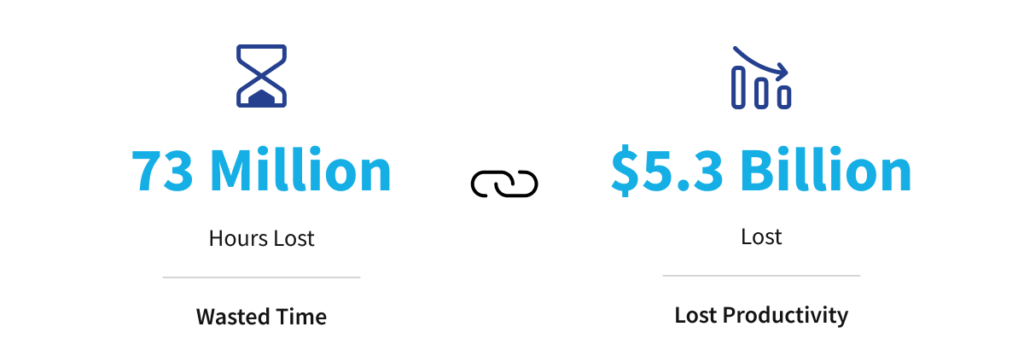
Reliable internet underpins cloud applications, phone systems, video meetings, payment platforms and remote work for Australian businesses. When connectivity fails, the toll is immediate and measurable. Recent research shows service disruptions cost Australians 73 million hours and $5.3 billion in lost productivity in the past year, highlighting how expensive unreliable connectivity has become for modern organisations.
For many businesses, these issues persist because connectivity has not evolved beyond a basic NBN plan and consumer-grade hardware. As offices become more distributed and systems move to the cloud, reliable performance, redundancy and security matter just as much as speed. This is where business internet solutions differ. They are designed to support critical operations, prioritise voice and video, protect remote access and keep teams productive even when individual components fail.
This article explores how Australian businesses can move beyond the NBN mindset and build an always-on office that supports growth, flexibility and resilience.
The Real Cost of Internet Dropouts for Australian Businesses
Internet dropouts are more than an annoyance. When business systems falter, every minute of interruption results in lost productivity, delayed client work and frustrated teams. Even partial connectivity problems reduce workflow efficiency and staff effectiveness.
Whether your phones rely on VoIP or your team collaborates through cloud services, unreliable internet creates cascading operational costs. For many organisations, poor connectivity has a greater impact on annual productivity than the short-term savings gained from cheaper consumer internet plans.
The Cost of Service Disruptions in Australia
Source: PagerDuty
Why Consumer-Grade Internet Fails in Business Environments
Consumer-grade internet is designed for light household use, not business operations. Unlike business internet solutions, home plans typically:
- Advertise ‘up to’ speeds without performance guarantees
- Prioritise download over upload, affecting video calls and cloud workflows
- Lack of service level agreements and meaningful uptime commitments
Business internet is engineered for consistency. It offers priority support, static IP options and more predictable performance during peak usage. Many business plans also include network management features and service quality monitoring to help keep operations running smoothly.

Mapping Your Critical Connectivity and Business Risks
Before investing in better business internet solutions, it is important to understand what connectivity actually supports inside your organisation. Not all systems carry the same level of risk if they go offline, and treating them equally often leads to wasted spend or exposed gaps.
Start by listing your mission-critical applications and services. This typically includes cloud platforms such as Microsoft 365, line-of-business systems, phone services, payment terminals and file storage. For each service, identify who relies on it and the operational impact if it becomes unavailable. Some outages are inconvenient, while others stop the business entirely.
Next, map where your people work. This should include head offices, branch locations, warehouses, clinics, home offices and mobile staff. Usage patterns often vary significantly between locations, particularly during peak operating hours.
This process highlights where redundancy is essential, where short interruptions can be tolerated, and which infrastructure upgrades should be prioritised to reduce business risk and downtime.
Designing an Always-On Connectivity Stack
A robust connectivity stack goes beyond selecting an NBN plan. An always-on office is designed to keep services running even when individual components fail, ensuring staff stay productive, and systems remain accessible.
Key components include:
- Primary business internet link
Choose business-grade NBN, enterprise fibre or fixed wireless based on location, number of users, cloud reliance and site criticality.
- Automatic failover
Backup links such as 4G or 5G failover keep traffic moving when the primary connection drops. Failover should occur automatically to minimise disruption.
- Business-grade router and firewall
These manage multiple internet links, prioritise critical traffic such as voice and video, enforce security policies and support remote management.
- Managed Wi-Fi
Designed for coverage and user density, with separate staff and guest networks to maintain performance and reduce security risk.
Many Australian providers also include proactive monitoring and support to detect performance issues early and address them before they impact users.

Modern Voice and Video That Just Works
Business phone and video systems now depend entirely on internet performance. Poor connectivity directly impacts call quality, meeting reliability and customer experience.
A modern setup should allow staff to make and receive calls from desk phones, computers and mobile devices, whether they are in the office or working remotely. Features such as call queues, ring groups and voicemail-to-email ensure calls reach the right people without delay.
Integration with collaboration platforms like Microsoft Teams or cloud PBX services simplifies communication and reduces the need for separate systems. These tools only perform well when the underlying network is designed correctly.
Business internet solutions must allocate sufficient bandwidth, particularly upload capacity, and prioritise voice and video traffic to prevent jitter, lag and dropped calls during busy periods.
Secure Connectivity for Remote and Hybrid Work
As more staff work remotely or across multiple locations, connectivity and security become tightly linked. Every connection into your organisation represents a potential entry point for threats, making secure design essential.
Business internet solutions should be paired with appropriate security controls, including:
- Business-grade firewalls to inspect and control network traffic
- Network segmentation to separate users, guest access and critical systems
- Secure remote access protected by multi-factor authentication
Standardised, managed access ensures remote workers can connect safely without relying on insecure workarounds such as personal hotspots or unmanaged devices. When security is built into connectivity design, remote and hybrid work becomes both practical and safe.
Connectivity Health Check: Is Your Business at Risk?
A simple connectivity health check can uncover risks that often go unnoticed until an outage occurs. Reviewing your current setup helps determine whether your internet, Wi-Fi and communications are supporting the business or quietly holding it back.
Consider the following:
- Are internet connections stable during core business hours?
- Do remote workers have secure access without informal workarounds?
- Is Wi-Fi coverage consistent across all workplace zones?
- Are voice and video calls reliable, even during peak usage?
If any of these areas fall short, your business may be exposed to unnecessary downtime, productivity loss and service disruption. Addressing these gaps early is significantly more cost-effective than responding after outages occur.

Conclusion
Having consistent and reliable internet connectivity is now core infrastructure, supporting cloud systems, communications, payments and remote work. When that foundation relies on consumer-grade services, reliability and security issues quickly follow.
Business internet solutions take a more deliberate approach. By identifying critical systems, addressing points of failure and designing connectivity with redundancy, managed Wi-Fi and traffic prioritisation, organisations gain stability and predictability. Embedding security and secure remote access into this design ensures flexibility without increasing risk.
An always-on office is not achieved through faster plans alone. It comes from purpose-built connectivity, business-grade infrastructure and ongoing oversight that keeps systems performing consistently in the background.
How BITS Helps Australian Businesses Stay Always-On
Designing and maintaining reliable connectivity is complex when internet, Wi-Fi, voice, security and remote access all rely on the same infrastructure. BITS brings these components together through a practical Always-On Office approach.
BITS assesses your current environment and designs a tailored connectivity stack aligned to how your business operates. This includes business-grade internet, automatic failover, managed Wi-Fi, modern voice and video, and embedded security controls supported by ongoing monitoring and local expertise.
The Always-On Office Guide provides practical guidance to help you plan a resilient, business-ready internet solution that supports performance, security and growth.
Contact BITS to review your current connectivity environment and explore a co-managed approach aligned with how your team operates.